

Custom Emails
- 03 Dec 2025
- 1 Minute to read
- Contributors


- Print
- DarkLight
- PDF
Custom Emails
- Updated on 03 Dec 2025
- 1 Minute to read
- Contributors
- Print
- DarkLight
- PDF
Article summary
Did you find this summary helpful?
Thank you for your feedback!
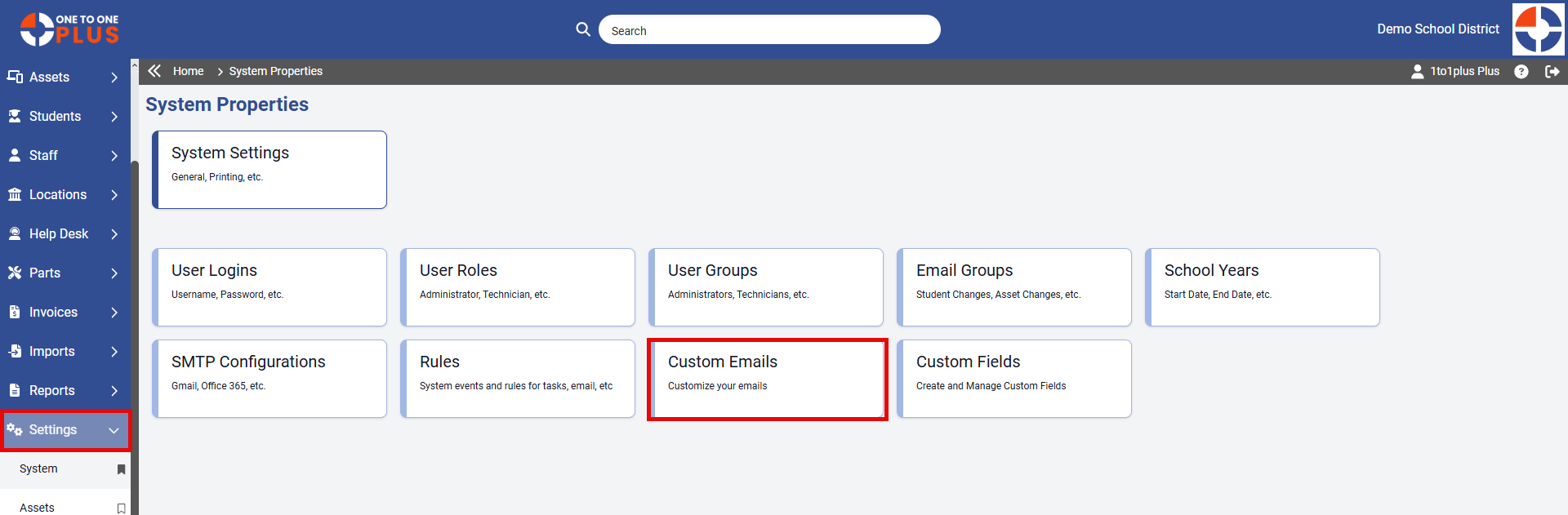
To access Custom Emails, go to Settings > System > Custom Emails.
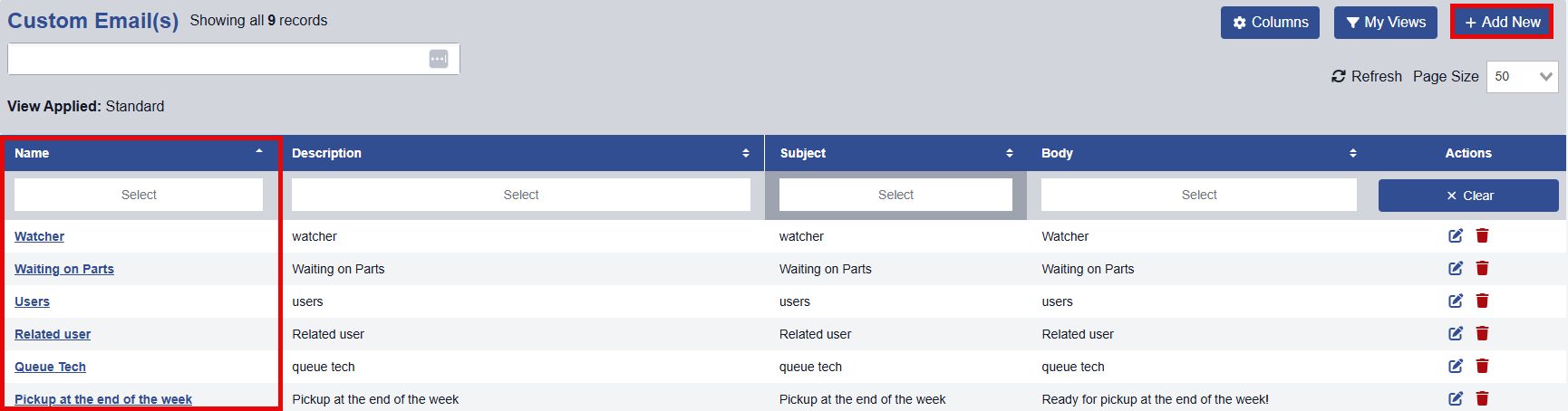
The Custom Email screen lets you create and edit Custom Email Templates to be used with Ticket Rules.
To modify an existing Custom Email record, simply click on its Name.
To add a new Custom Email record, click the  button in the top right corner.
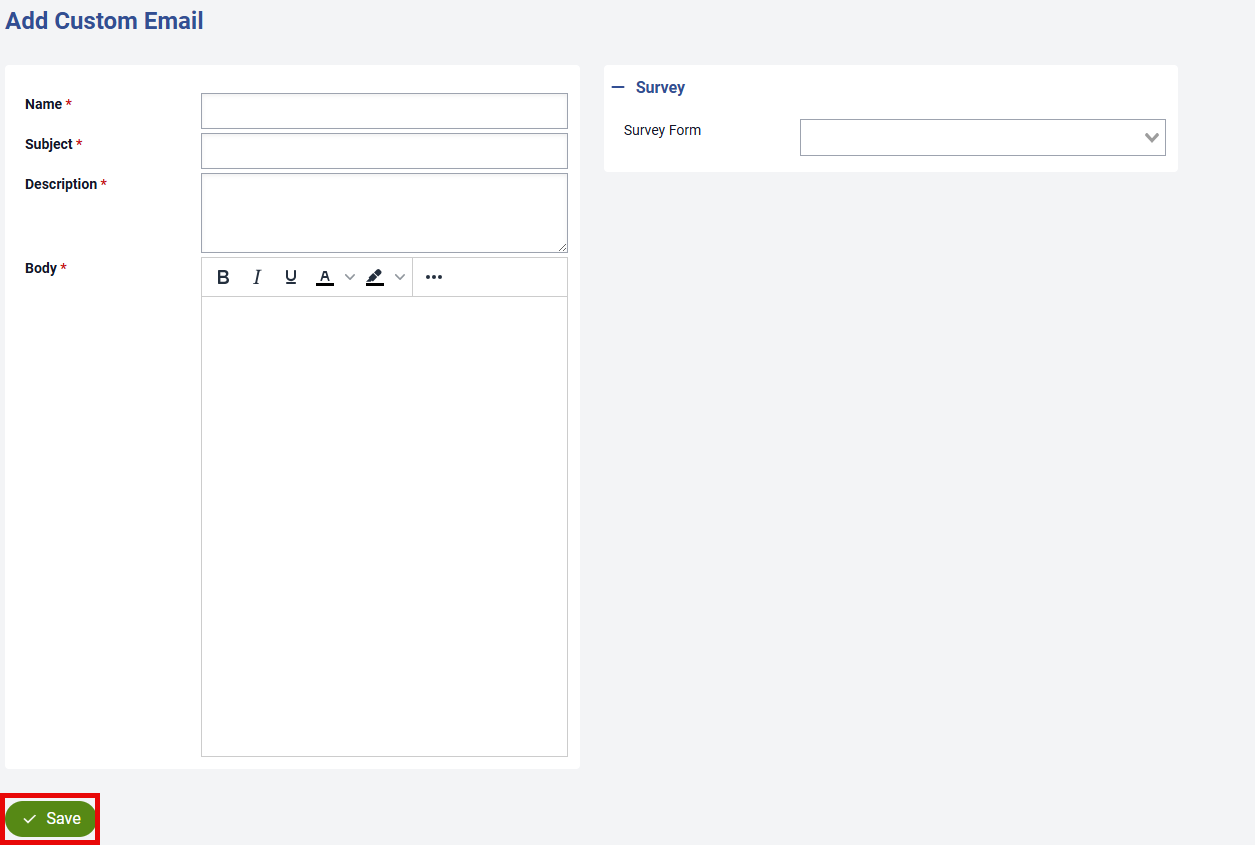
Enter the Name, Subject, and any other details you wish to include in the custom email. You can also include images if needed. If the custom email is associated with a survey, select the correct survey form from the drop down list. Survey forms are created under Settings > Tickets > Survey Forms screen.
Once you've provided the necessary details, click  to add the Custom Email.
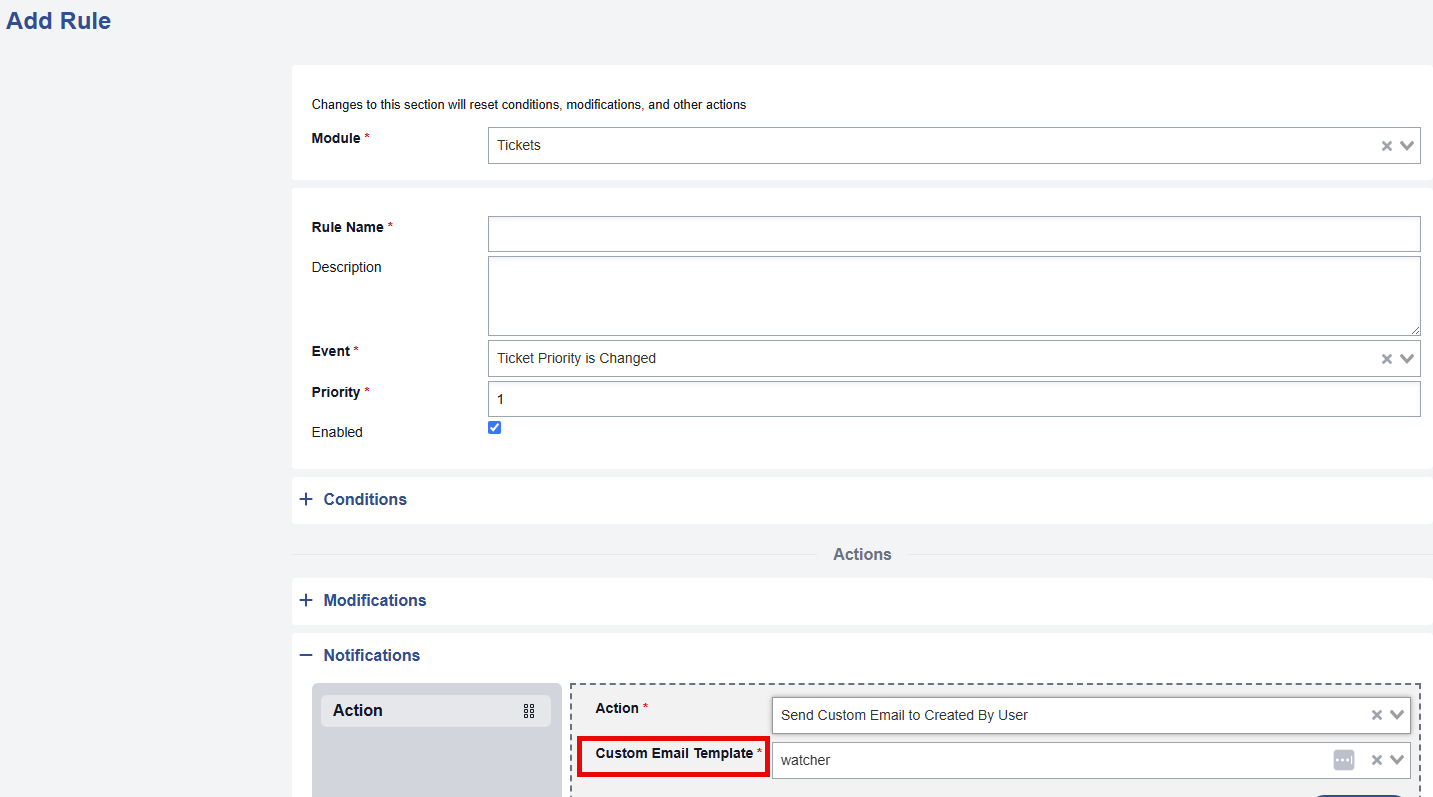
These Custom Emails templates can be selected in the Notifications section of a Ticket Rule that is created under Settings > System > Rules.
Was this article helpful?